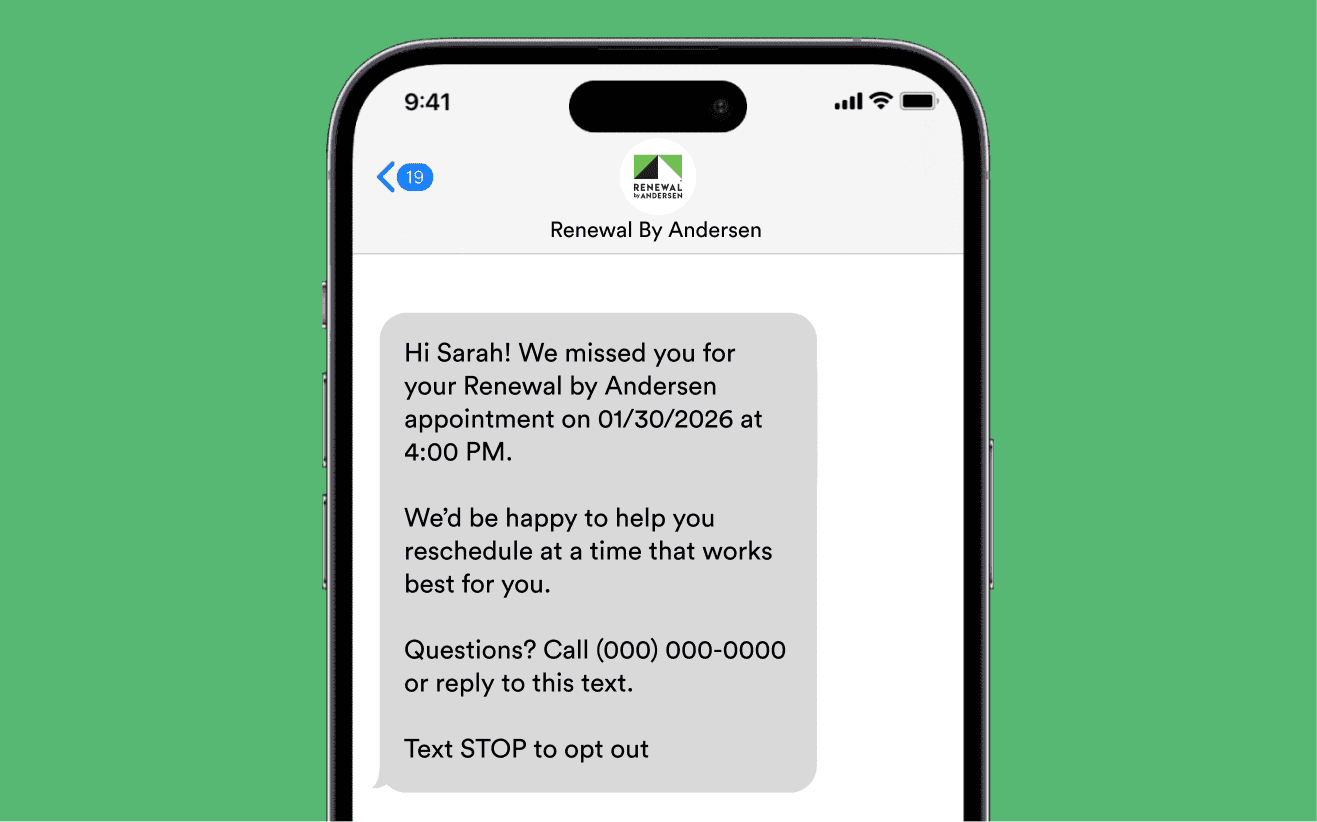
Improving Appointment Attendance with CRM-Driven Communication
Built and launched multi-touch email and SMS automations to increase confirmation rates, reduce no-shows, and improve marketing–sales alignment.
Role
Data Structure and Automation Specialist
Focus Area
Campaign Automation & Lifecycle touchpoints
Duration
~ 1.5 weeks
Problem:
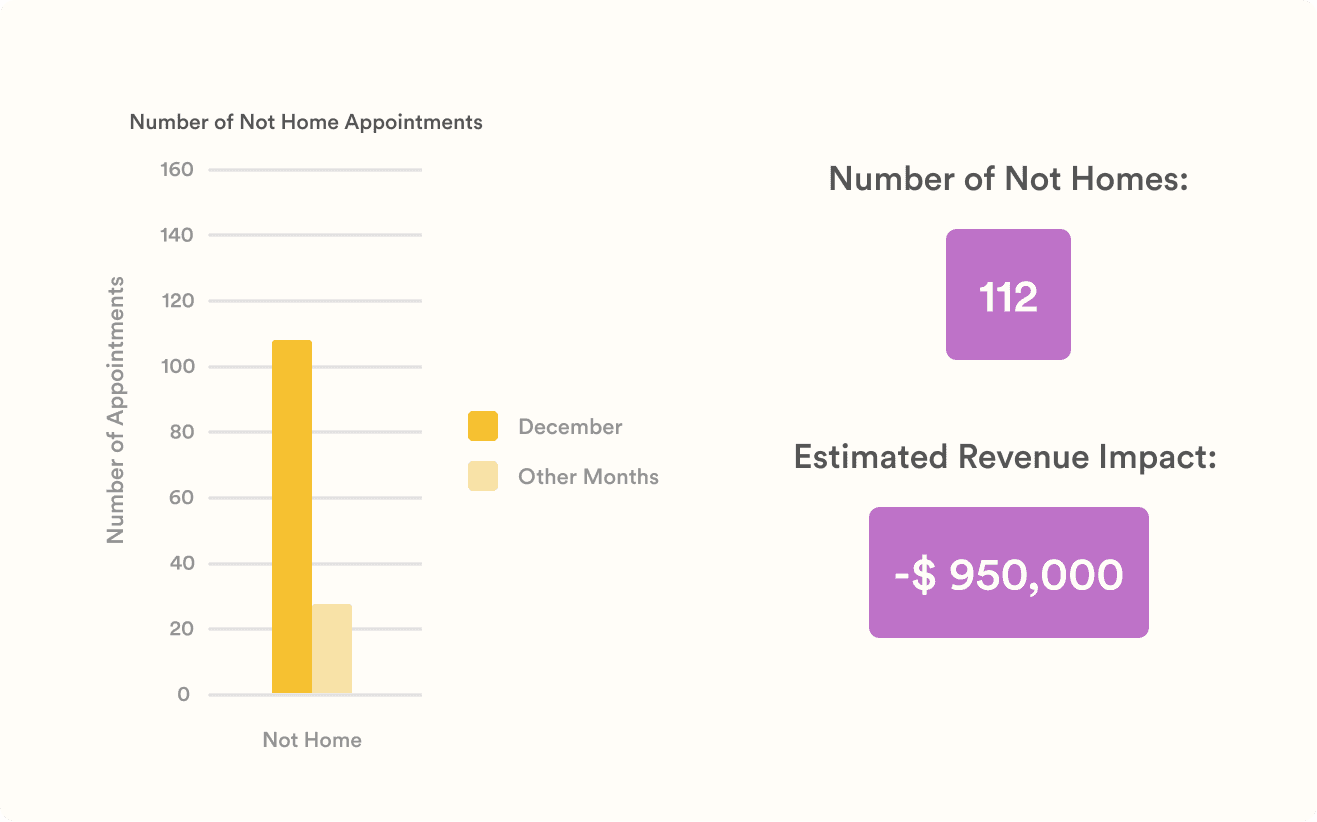
Shortly after a corporate-mandated CRM migration, our team began seeing a sharp rise in appointments marked as “Not Home.” Design consultants were arriving at clients’ homes only to find no one available or clients not ready to meet.
Historically, our no-show appointments averaged around 30 per month, but in December alone we recorded over 100. Lead volume and booking behavior hadn’t changed, which made the drop-off difficult to explain and hard to ignore. The increase in no-shows was estimated to be $900K in lost revenue.
I was asked to help figure out what was happening.
Investigation & Discovery
At first, the issue didn’t seem like a system problem. But while reviewing appointment notes, I noticed a recurring theme in customer comments:
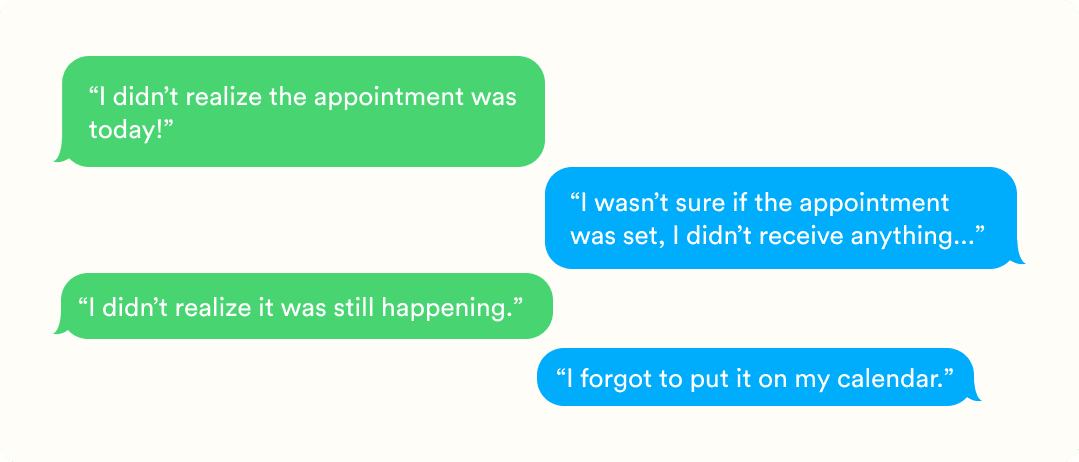
Considering the customers’ comments, I developed a hunch that the problem wasn’t lead quality or scheduling volume. It was communication.
To validate this, I mapped the post-booking experience in the legacy CRM and compared it directly to the new system.
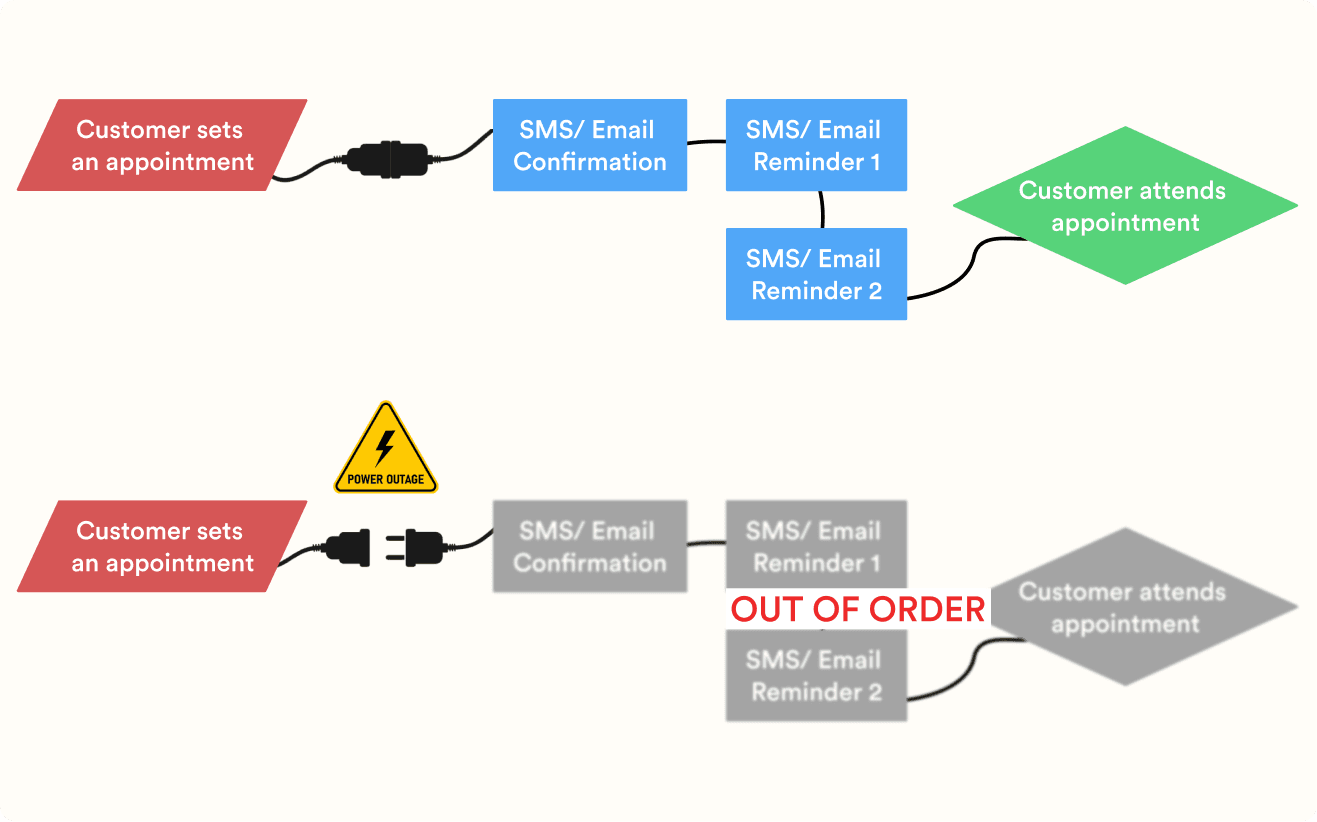
In the old system, once an appointment was booked, customers received:
An immediate confirmation message
Automated reminders at set intervals
Multiple touchpoints leading up to the appointment
In the new CRM, I was unable to find any sort of communication between our company and clients after an appointment was booked.
That gap made me think about my own experiences as a customer. I recently went to the dentist and received multiple confirmation and reminder messages in the days leading up to my appointment. Without those reminders, I likely would have forgotten entirely.
This comparison made the issue clearer: during the CRM migration, a critical piece of the customer journey, automated appointment communication, had disappeared, leading to inconsistent communication and increased no-shows.
Solution & Enablement:
Because Salesforce is centrally owned, we submitted a request to reintroduce automated reminders. However, we were told it would take time to scope and implement. Given the ongoing business impact, we needed a faster solution.
Since we already used HubSpot as our marketing automation platform, I proposed building a reminder system there.
The first challenge was data. Direct Salesforce to HubSpot integration wasn’t allowed, so I designed an import structure that allowed appointment data to be reliably brought into HubSpot using custom objects and deals. I built reports to validate each import and ensure customer information, appointment status, timing, and cancellations were accurately brought in and reflected.
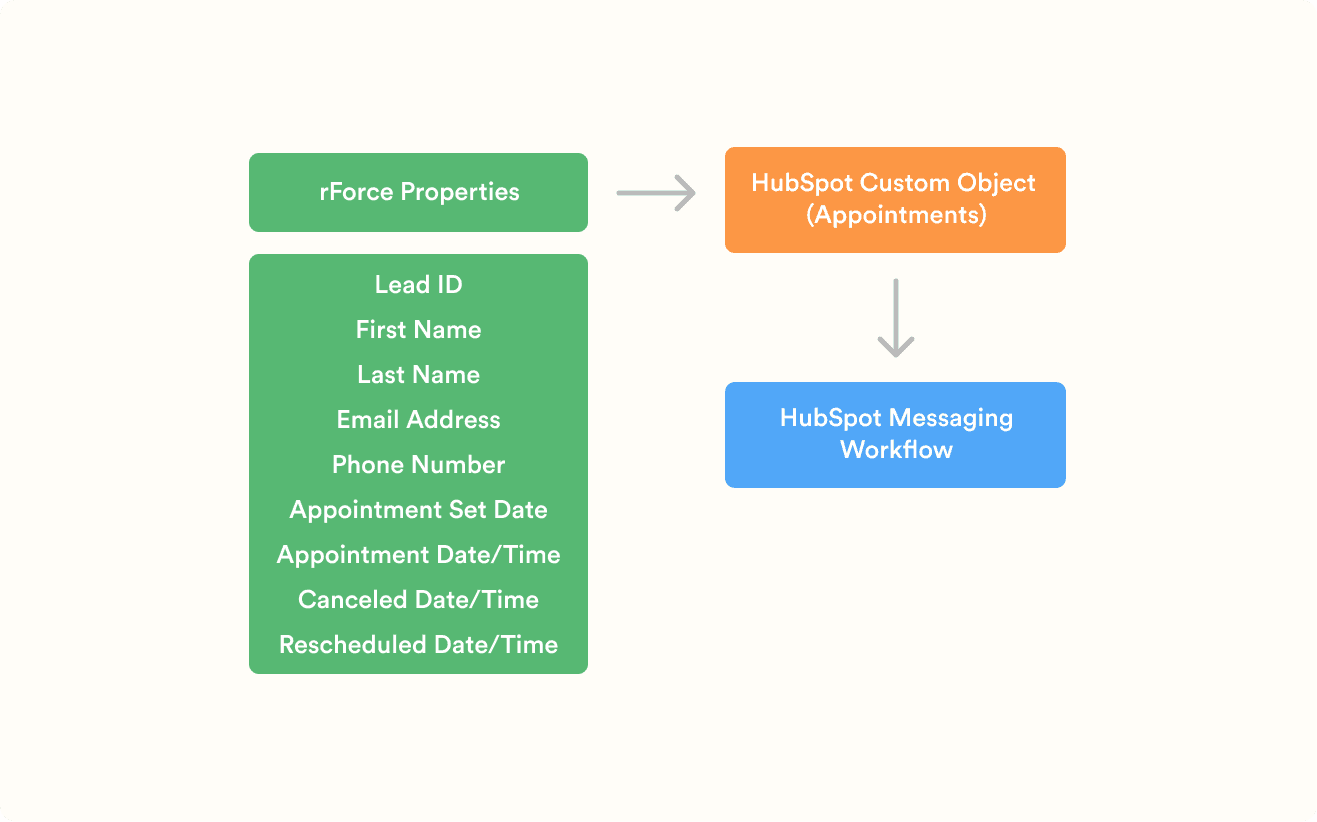
Once the data was in place, I worked with our marketing managers to design a multi-touch reminder workflow in HubSpot:
An email and SMS confirmation immediately after booking
A reminder one day before the appointment
A final reminder two hours prior
Logic to exclude or reintroduce canceled or rescheduled appointments
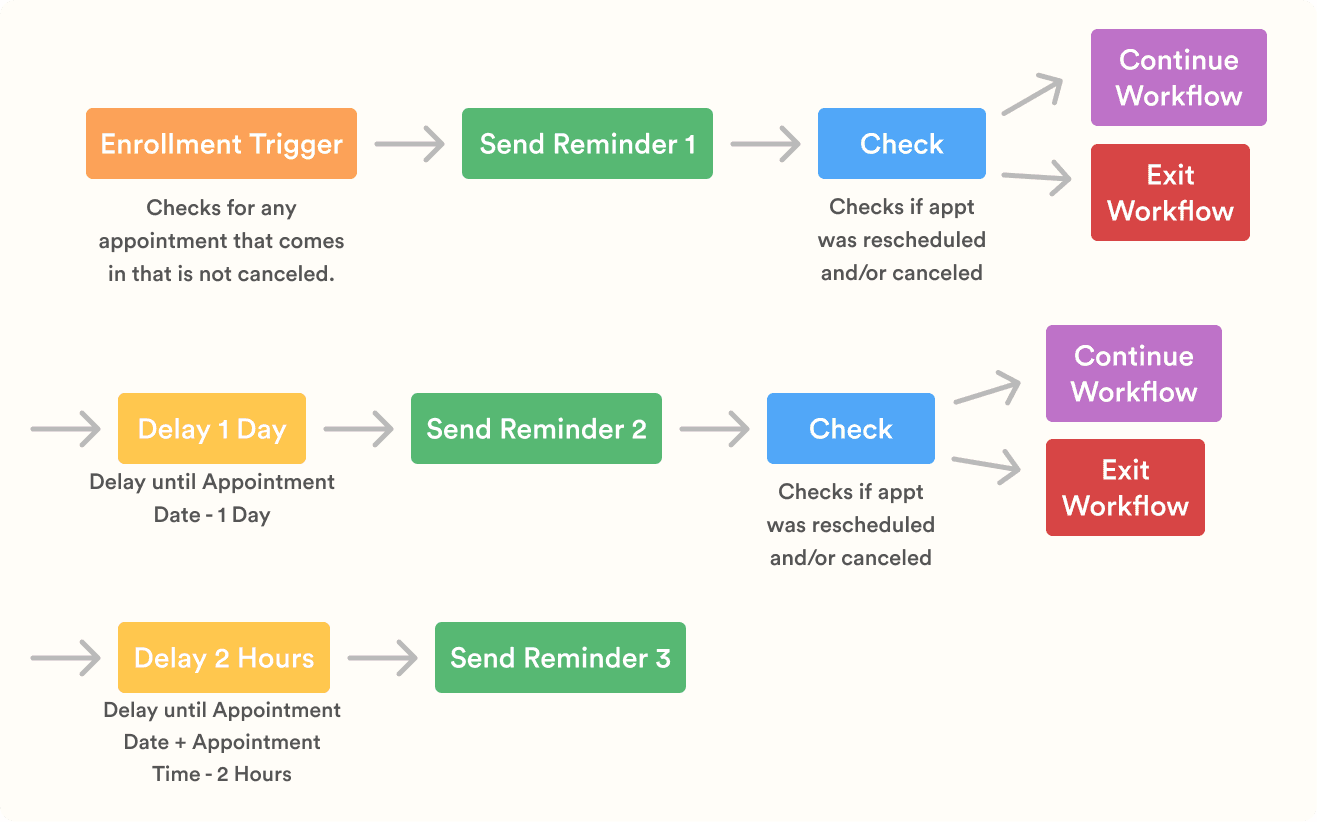
After several days of QA testing and refinement, the automation was ready to launch.
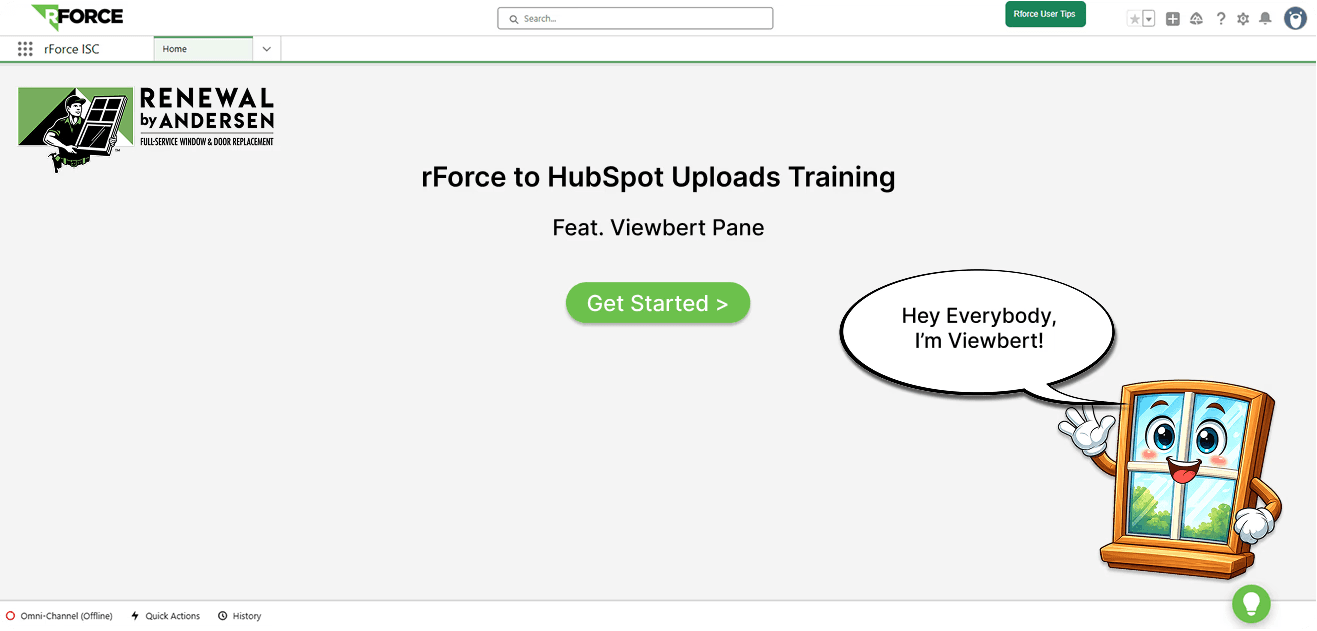
To ensure the system could be maintained without ongoing support, I led the creation of documentation and training resources, including a step-by-step Figma prototype for the manual upload process (pictured below), a detailed upload guide, SOPs outlining edge cases and potential errors, and live training sessions with six ISC managers. This approach ensured consistency across teams and enabled the process to scale for future hires.
Results:
📲 Restored consistent post-booking communication across email and SMS
🧑💻 Established accurate data pipelines between Salesforce and HubSpot
⬇️ Reduced downstream operational disruption caused by miscommunication
📉 Reduced no-shows by 47%
💰 Recovered ~ $450,000 in at-risk revenue
Next Steps
Implement alerts for failed uploads, missing appointments, or missing data fields
Continue on with A/B test timing, copy, and channels for reminders
Build a dashboard to monitor appointment lifecycle status and data accuracy across systems
Other projects
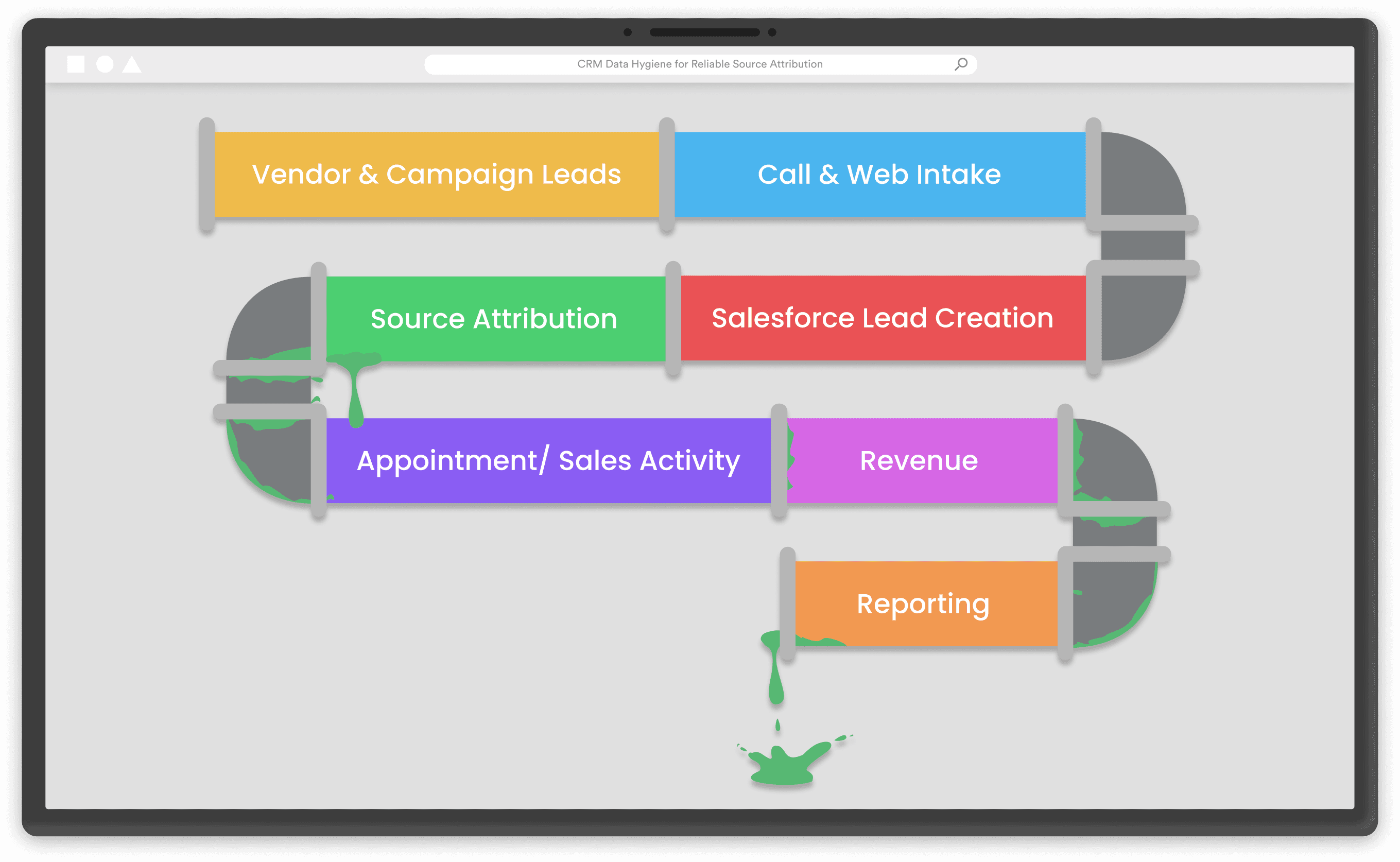
Where Did the Leads Go? Restoring Accurate Source Attribution
Diagnosed revenue and performance declines and built an automated, scalable attribution system to restore accurate lead source tracking.
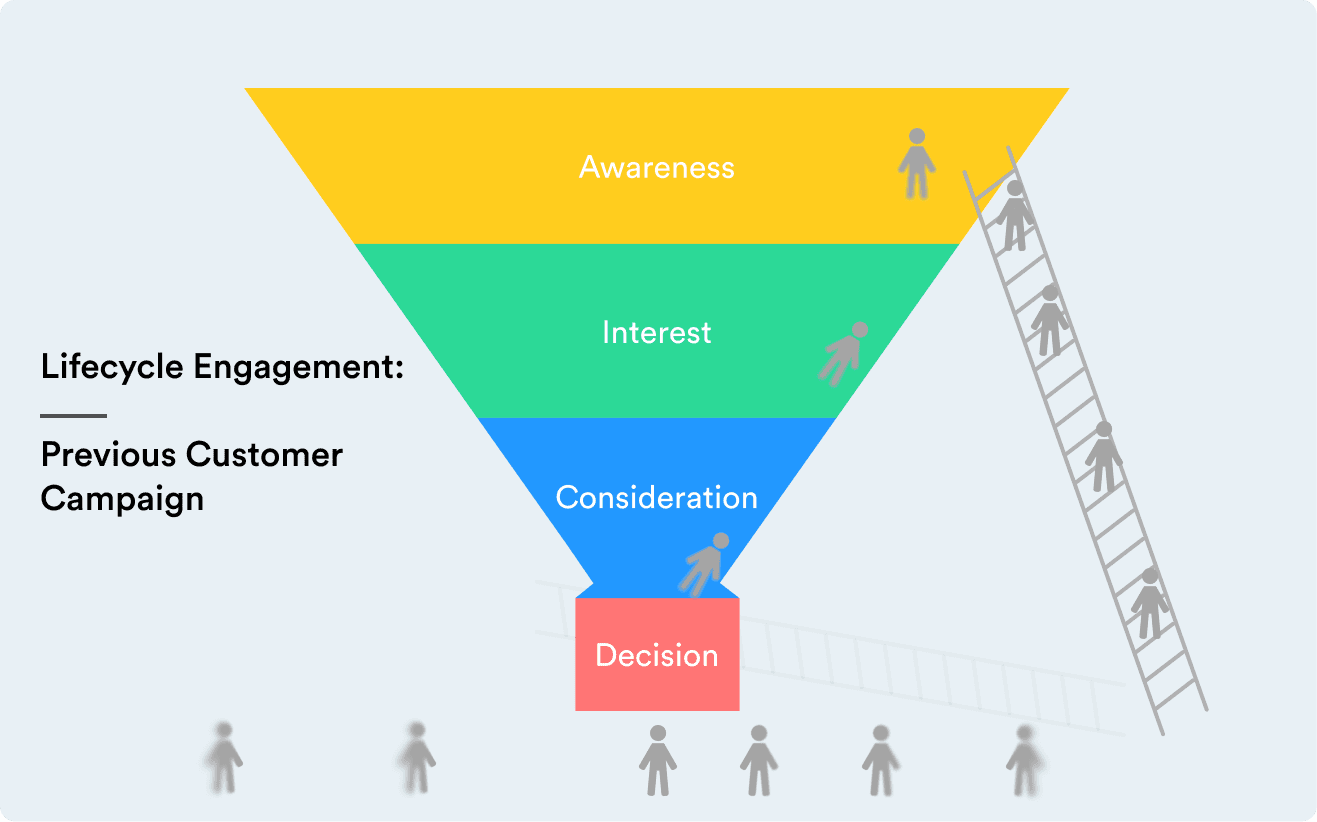
Turning Historical Customer Data into Lifecycle Engagement
Designed and launched data-driven lifecycle campaigns using customer data to re-engage past customers and align messaging across touchpoints.